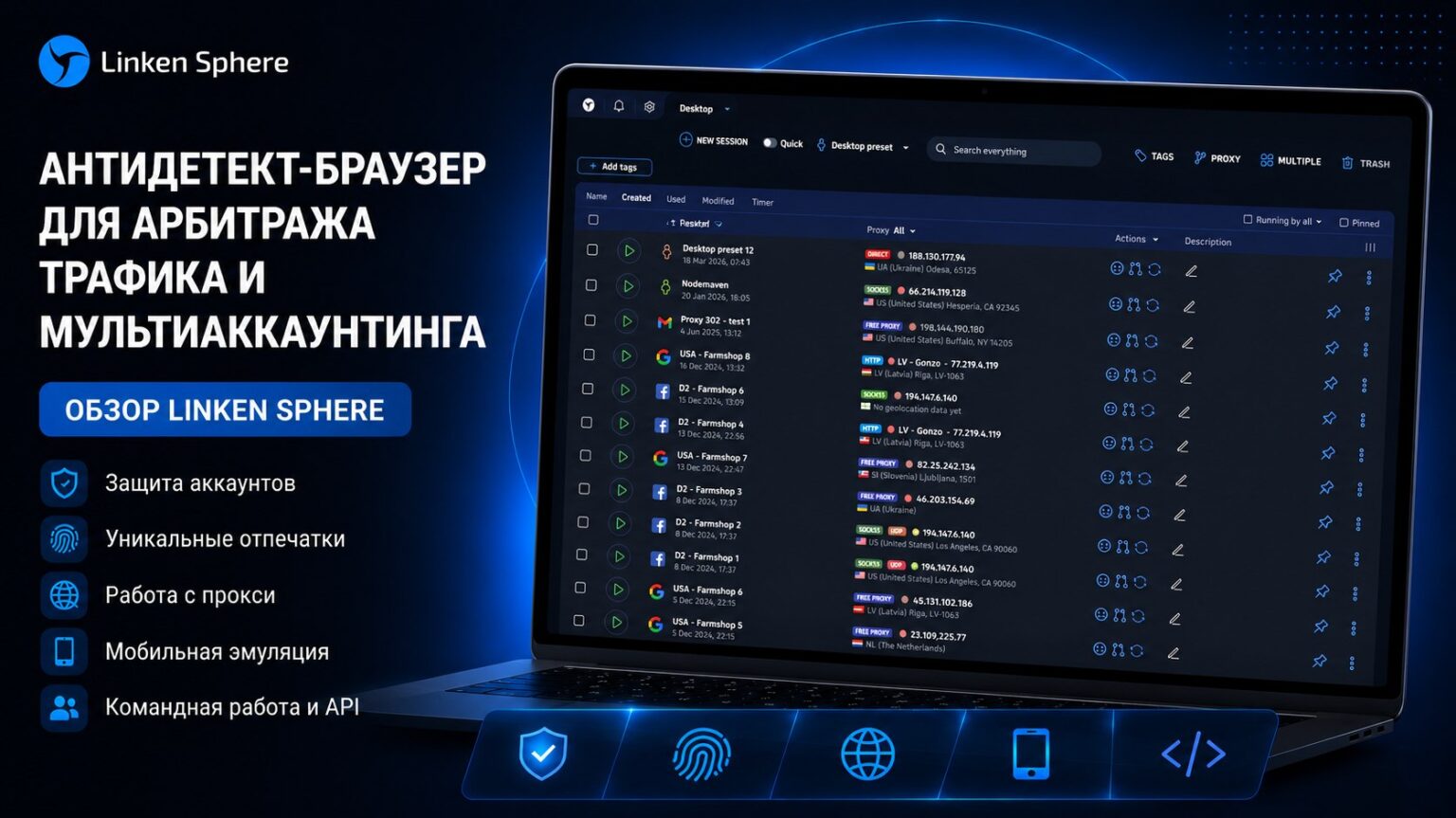
Working with a large number of accounts has long been a standard for traffic arbitrage. Facebook, Google, TikTok and other platforms actively use anti-fraud systems that track suspicious activity, device crossings, repeated digital fingerprints, and block accounts even before ads are launched.
That’s why today it’s hard to imagine a basic arbitrageur’s kit without a proxy and an anti-detection browser. This infrastructure helps to safely separate accounts, minimize the risk of bans, and scale advertising campaigns.
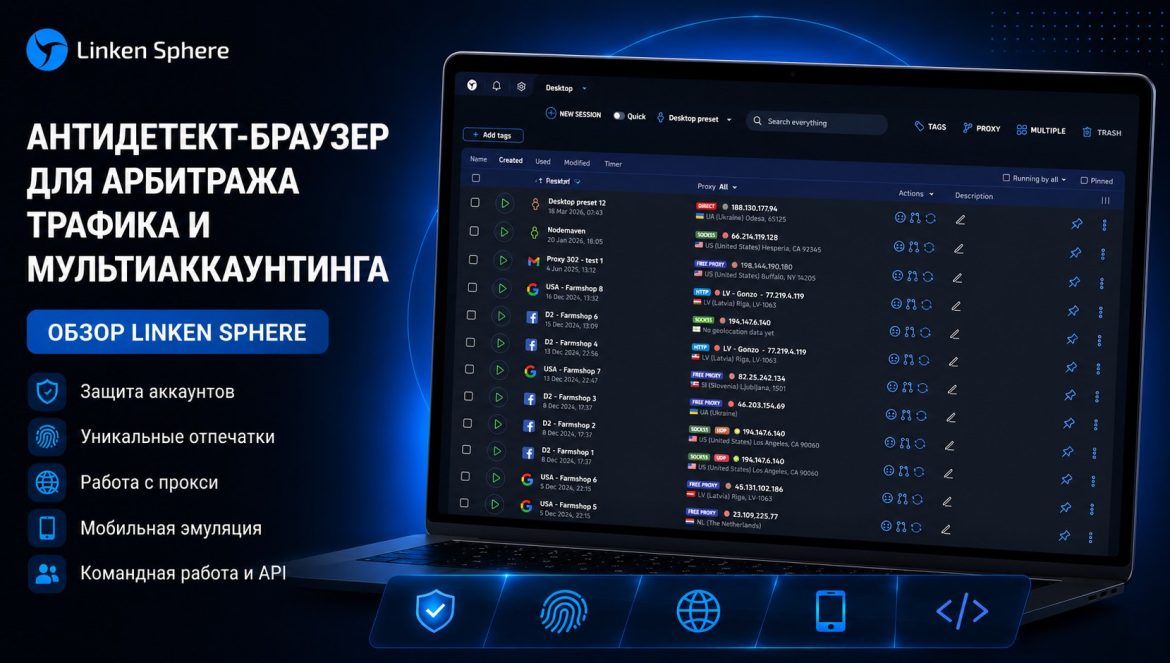
One of the most well-known solutions in this niche remains Linken Sphere, an anti-detect browser that has been on the market since 2017. In this review, we will analyze the key features of the service, the peculiarities of working with profiles, the session management system, and the process of setting up the browser for daily work.
What is Linken Sphere
Linken Sphere is an anti-detect browser designed for multi-accounting and working with a large number of isolated sessions. The main task of the service is to create separate browser profiles that look like independent real devices to websites and advertising systems.
Each profile within the browser gets its own set of parameters:
- fingerprint
- network settings
- cookies
- browsing history
- cache
- IP address
This ensures that accounts do not overlap with each other and the risk of detecting links between them is greatly reduced.
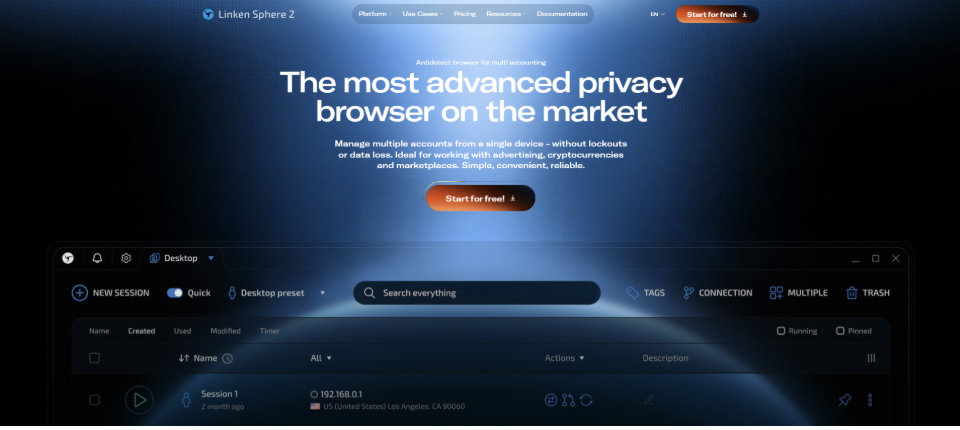
Over the years, Linken Sphere has evolved from a highly specialized tool for power users to a full-fledged platform with a modern interface, automation, mobile emulation, APIs, and command functions.
Profiles with optimal settings can be created in one click, and proxies can be imported by simply copying and pasting.
To get acquainted with the service, a free tariff for 5 profiles is available with no time limit. Additionally, users can activate the promo code “TRAFFCORE” and get a 20% discount on the first payment.
Key benefits of Linken Sphere
Flexible profile creation
The user can either manually customize print settings or create ready-made sessions automatically in seconds. This is convenient for both beginners and experienced professionals who need to scale their work quickly.
Realistic digital prints
The browser generates fingerprint parameters in such a way that profiles look as natural as possible for antifraud systems and anonymity checking services.
Scaling tools
Linken Sphere supports:
- mass importation
- group editing
- managing a large number of profiles
This is especially useful when dealing with dozens or hundreds of accounts.
Built-in work with proxies
Proxy Manager allows you to:
- bulk import IP
- test the connection
- identify GEO
- structure proxies by convenient names and categories
Support for mobile configurations
The service supports emulation of Android and iOS mobile devices.
Free start
New users have access to 5 free profiles with no restrictions on functionality or time of use.
API for automation
Open API allows you to integrate the browser into external systems and automate routine processes.
Interface personalization
The user can:
- theme
- customize the appearance of the workspace
- customize the interface to your own preferences
How to get started with Linken Sphere
To get started you need to:
- download the client from the official website
- install the program
- create an account
After authorization, the user is taken to the main workspace of the browser.
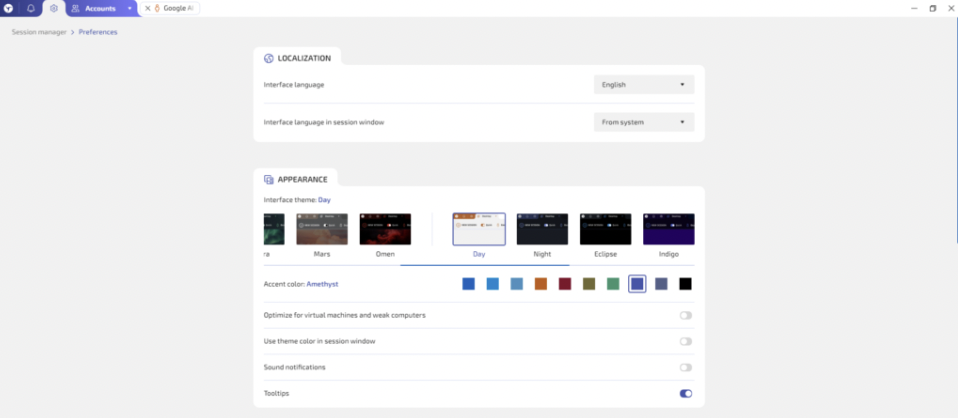
Linken Sphere uses a desktop system. This approach helps to separate profiles by:
- areas of work
- teams
- traffic sources
- individual projects
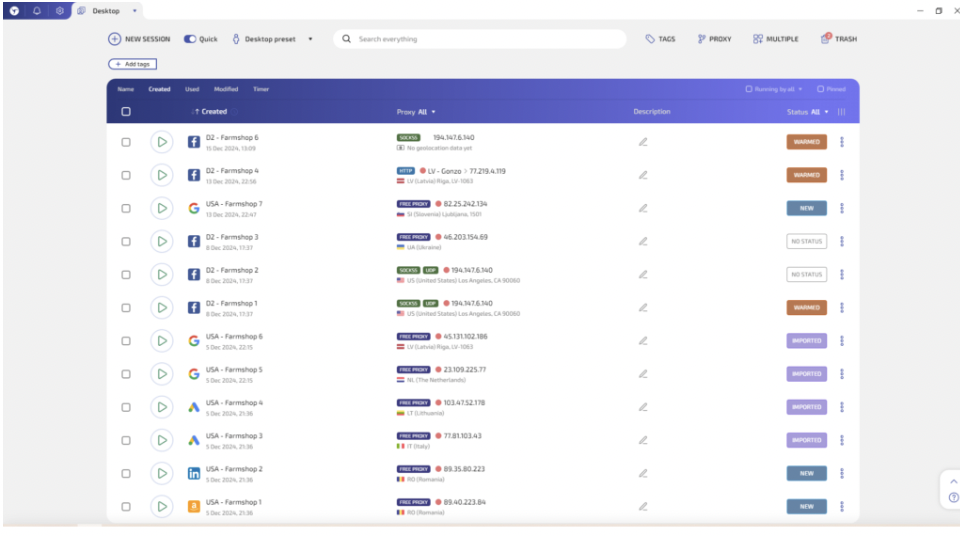
Profiles can be tagged for additional organization:
- tags
- statuses
- icons
- descriptions
When working with a large number of accounts, this makes it much easier to navigate within the project.
Creating a new session
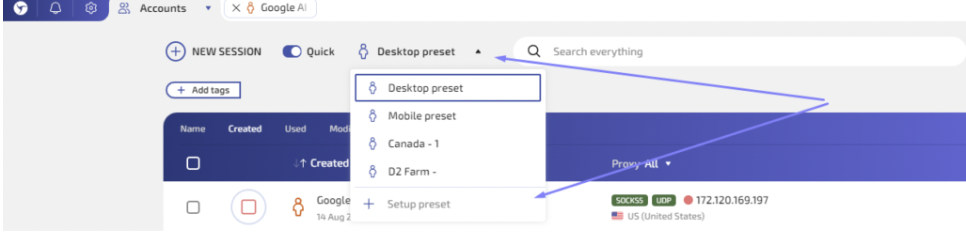
Creating a profile starts with the New session button.
First, the name of the profile is specified. When working on a large scale, it is better to use a clear naming system, e.g. specify:
- GEO
- offer
- account source
- responsible professional
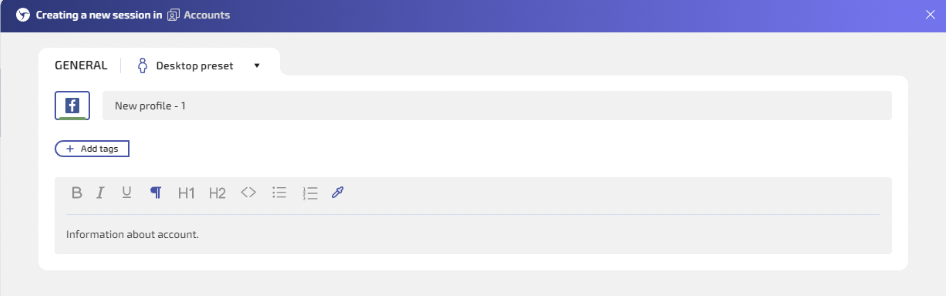
Additionally, you can add:
- description
- tags
- profile status
The next step is to configure the connection and proxy.
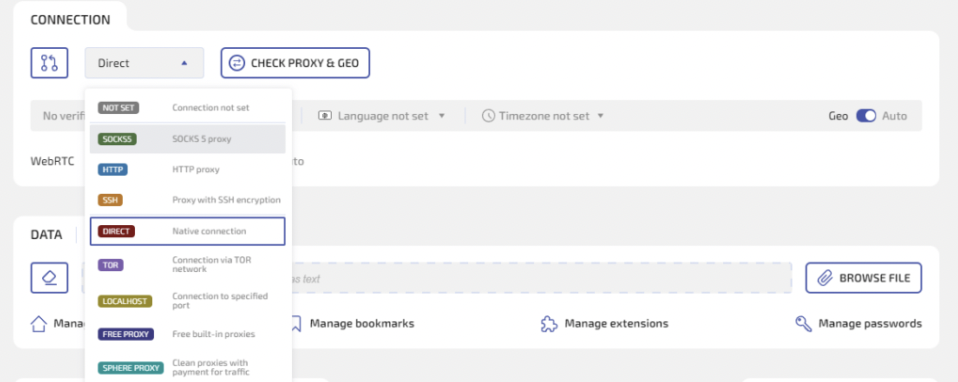
Linken Sphere supports multiple types of connections:
- HTTP
- SOCKS5
- SSH
- Tor
- Localhost
After adding a proxy, you can use the Check proxy & GEO function to verify:
- IP
- geolocation matching
- correct connection
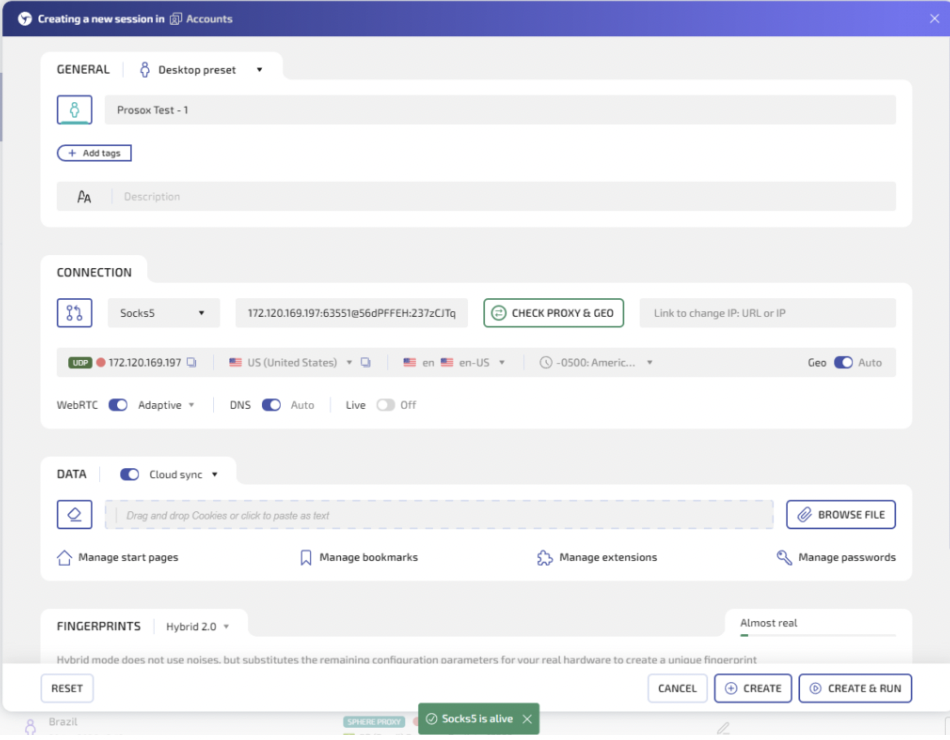
For arbitrage, this is especially important because network-level errors often cause suspicious activity before ads are even launched.
If a user already has cookies, they can be imported into the profile separately. This is useful for:
- account transfer
- session recovery
- working with heated profiles
After that, it remains to customize the digital print. Linken Sphere allows you to either generate settings automatically or change them manually.
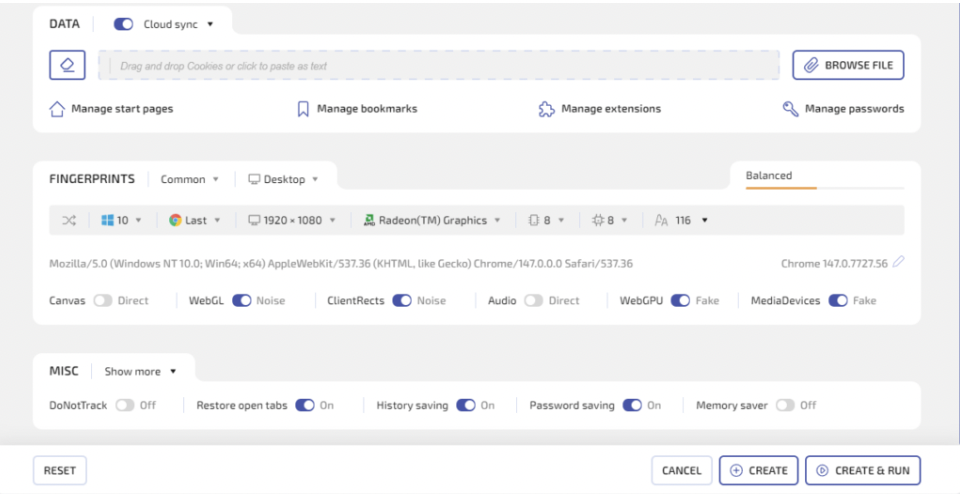
Users without a deep understanding of fingerprint technology are usually more comfortable using automatic settings. They help to avoid unnatural combinations of parameters.
Working with fingerprints and Hybrid 2.0
Hybrid 2.0 mode remains one of the browser’s key features.
This technology helps to create more natural profile configurations by tailoring imprint parameters so that they look logical to anti-fraud systems.
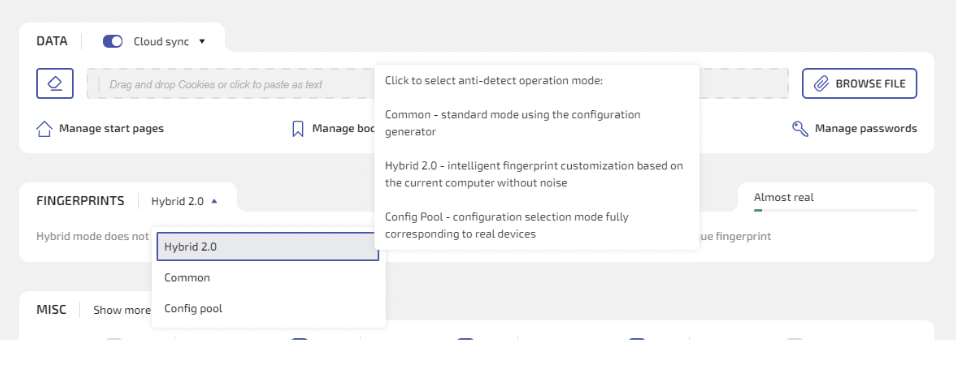
Instead of a random set of characteristics, the user gets a more realistic configuration of the device.
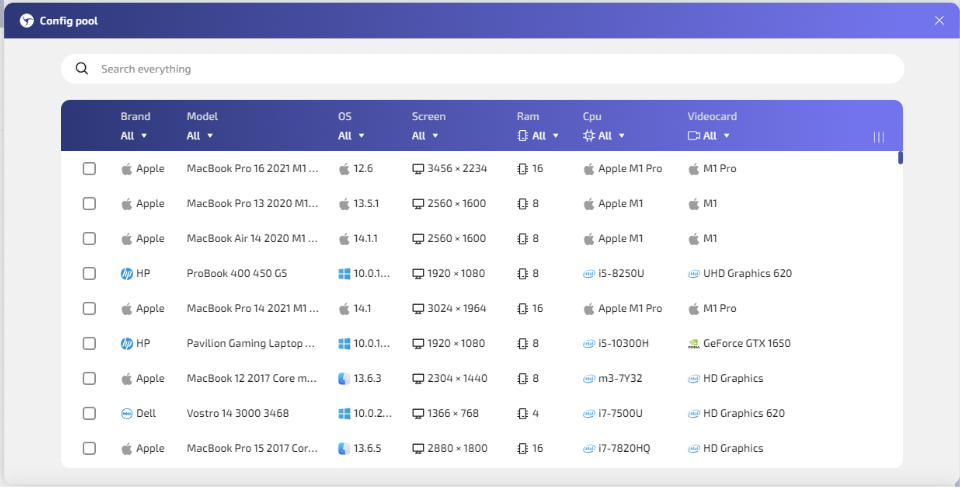
Additionally, Linken Sphere uses:
- real device database
- ready-made configurations
This makes the profiles look more believable and not like artificially assembled fingerprint combinations.
There is also a settings quality indicator in the browser, which helps to assess how much the profile corresponds to the real device.
Proxy manager
The browser is responsible for fingerprinting and profile isolation, while the proxy is responsible for IP address and network layer connectivity.
Linken Sphere has a full-fledged proxy manager built in, allowing you to:
- import proxy list
- categorize IP
- check GEO
- test the connection
- proxy profiles
This is convenient for both solo arbitrageurs and teams working with a large number of accounts and different traffic sources.
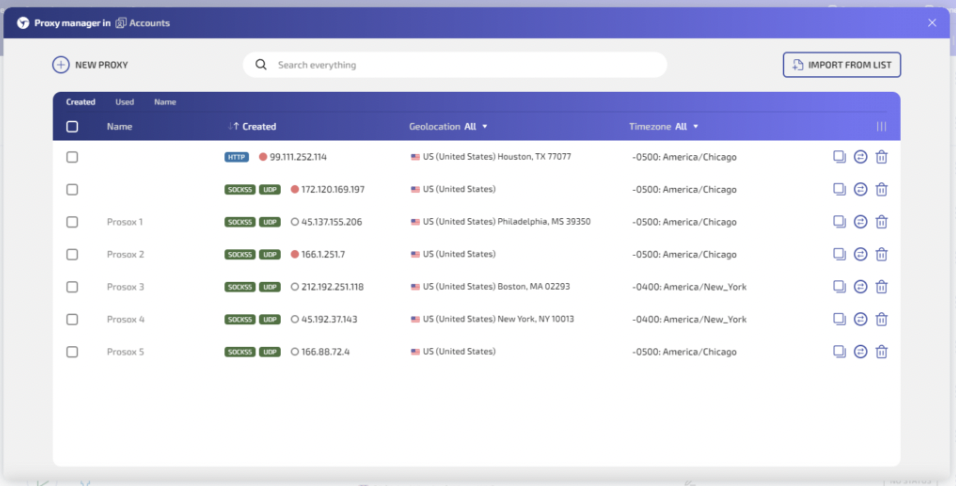
The GEO and connection verification feature helps you avoid running a profile with an inappropriate IP or incorrect network configuration.
Linken Sphere tariffs
The service offers a free plan and several paid plans.
The free option includes 5 profiles with no time limits and allows you to fully test the browser’s capabilities.
Among the paid plans available are:
- Pure
- Light
- Pro
- Premium
If you pay for a long term there are discounts.
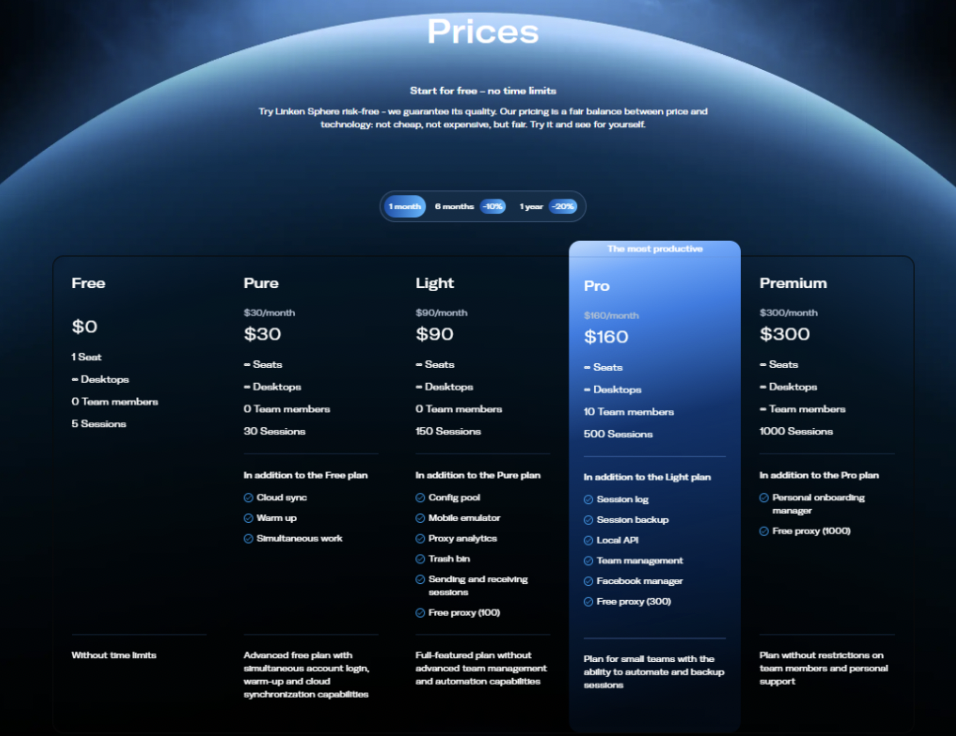
Pure
Suitable for users who require a small number of profiles up to 30 and basic advanced features including cloud synchronization.
Light
Focused on users with a large number of sessions up to 150. Includes:
- mobile emulator
- Config Pool
- proxy analytics
- additional management tools
Pro
Suitable for small teams that need up to 500 profiles. Adds:
- teamwork
- local API
- backup
- action log
Premium
The maximum rate for large teams and large-scale tasks. Includes:
- extended limits
- unlimited number of participants
- priority support
For beginners, a free or Pure plan is often sufficient. Teams and large projects are usually more interested in Light, Pro or Premium.
Conclusion
Linken Sphere is an anti-detect browser focused on professional handling of multi-accounting and traffic scaling. The service allows you to:
- create isolated profiles
- use realistic digital prints
- proxy
- emulate mobile devices
- automate processes via API
If you work with Facebook Ads, Google Ads, TikTok Ads, or other platforms where account history, fingerprints, and session quality are critical, Linken Sphere can be a useful tool for day-to-day operations and scaling. A free 5-profile plan allows you to test the browser without time constraints and evaluate its capabilities in practice.